Node Switcher
Available on Superhive (ex: Blendermarket)
Overview
Blender addon for generating node networks to switch and/or blend between various datatypes.
Usage
Create Switcher for ID Map
- Select an image node containing the id map to be switched.
- Open the context menu (default: Right Click) and select "ID Switcher for Selected".
See Parameter Descriptions for per option explanation
Adding a Switcher From Selected
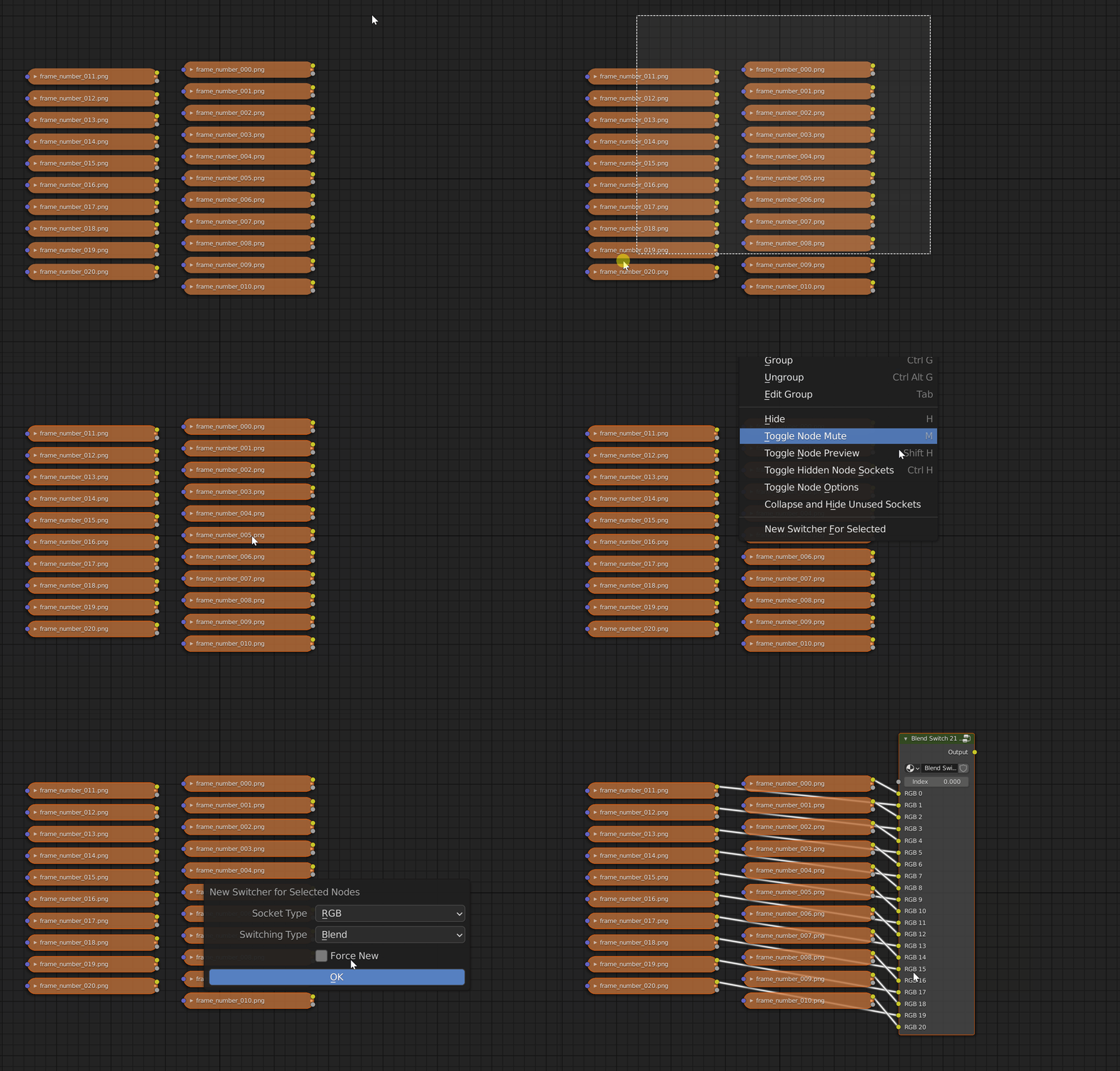 1. Select the nodes whose sockets you want to switch between.
2. Right click in an empty space and select "New Switcher For Selected Nodes".
3. In the operator pop-up, select the socket type to use for switching and a switching mode.
1. Select the nodes whose sockets you want to switch between.
2. Right click in an empty space and select "New Switcher For Selected Nodes".
3. In the operator pop-up, select the socket type to use for switching and a switching mode.
Adding a New Switcher
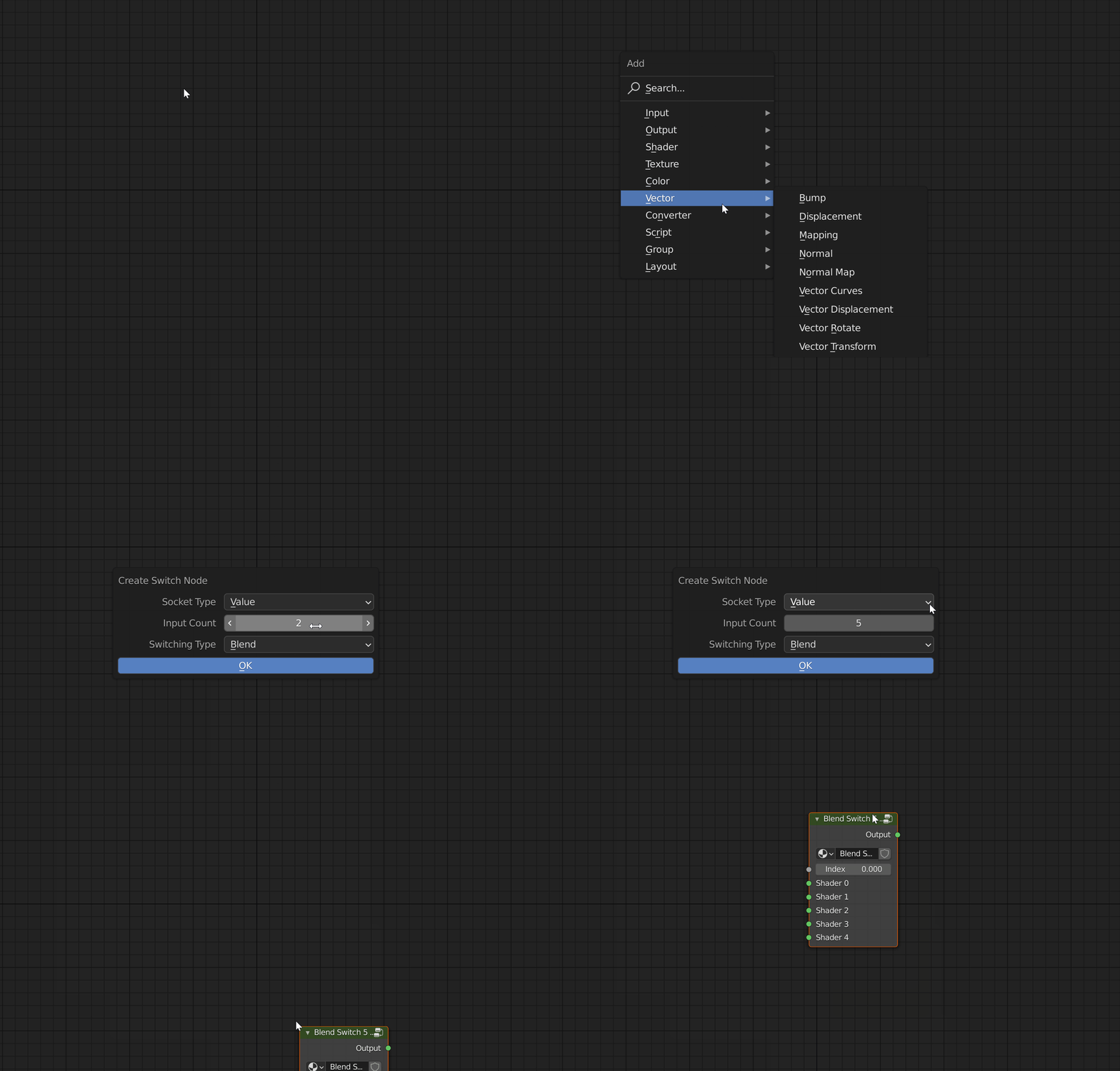
- Switcher node creation is available under the add nodes menu (Shift + A).
- Selection will trigger a pop-up on which you can can select the number of input sockets and the type of switch to create.
Adding Bonus Nodes
All new nodes can be found in the add nodes menu under 'Converter'
Switching Types
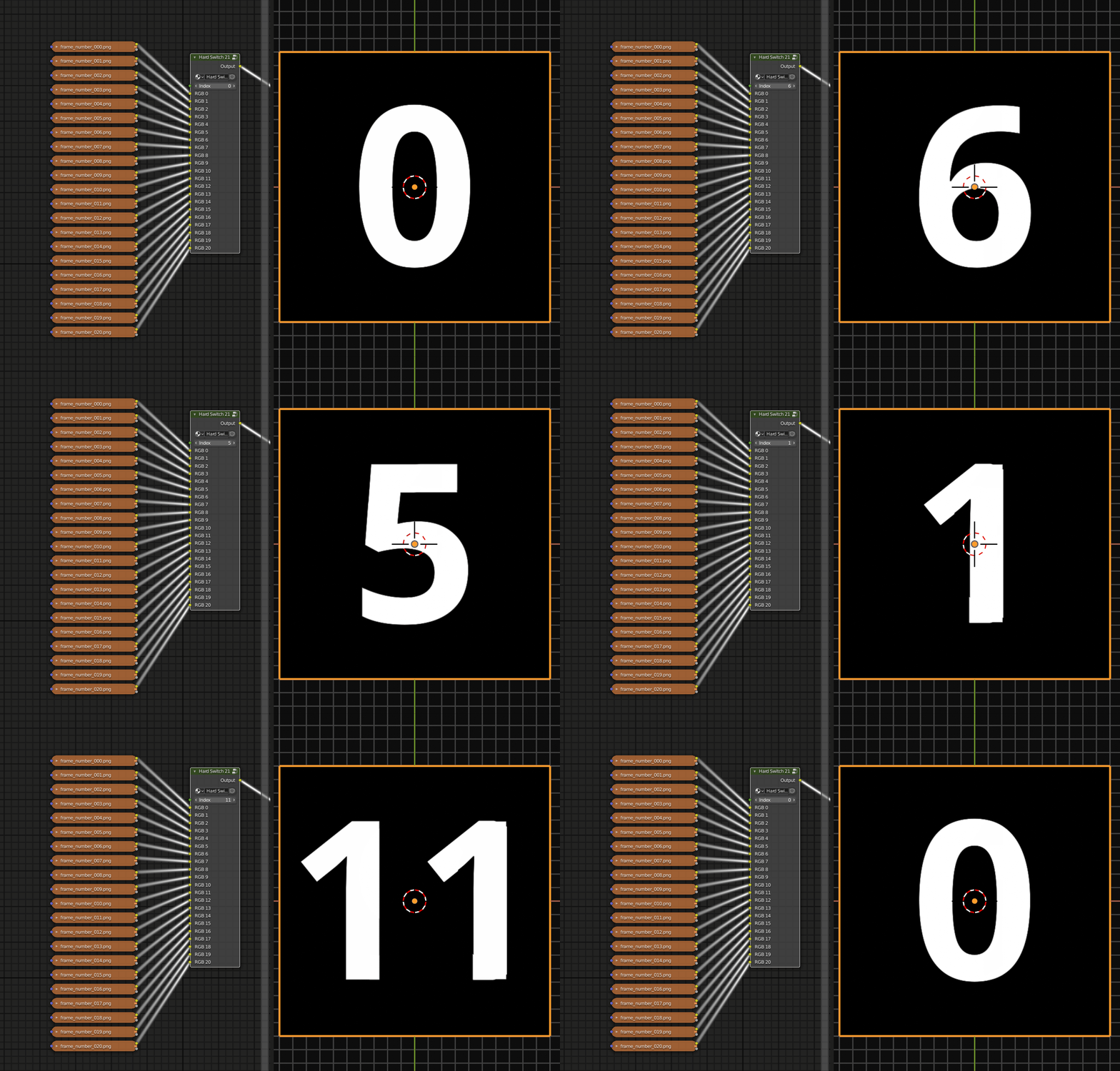 Hard value based switching for arbitrary uniform socket types.
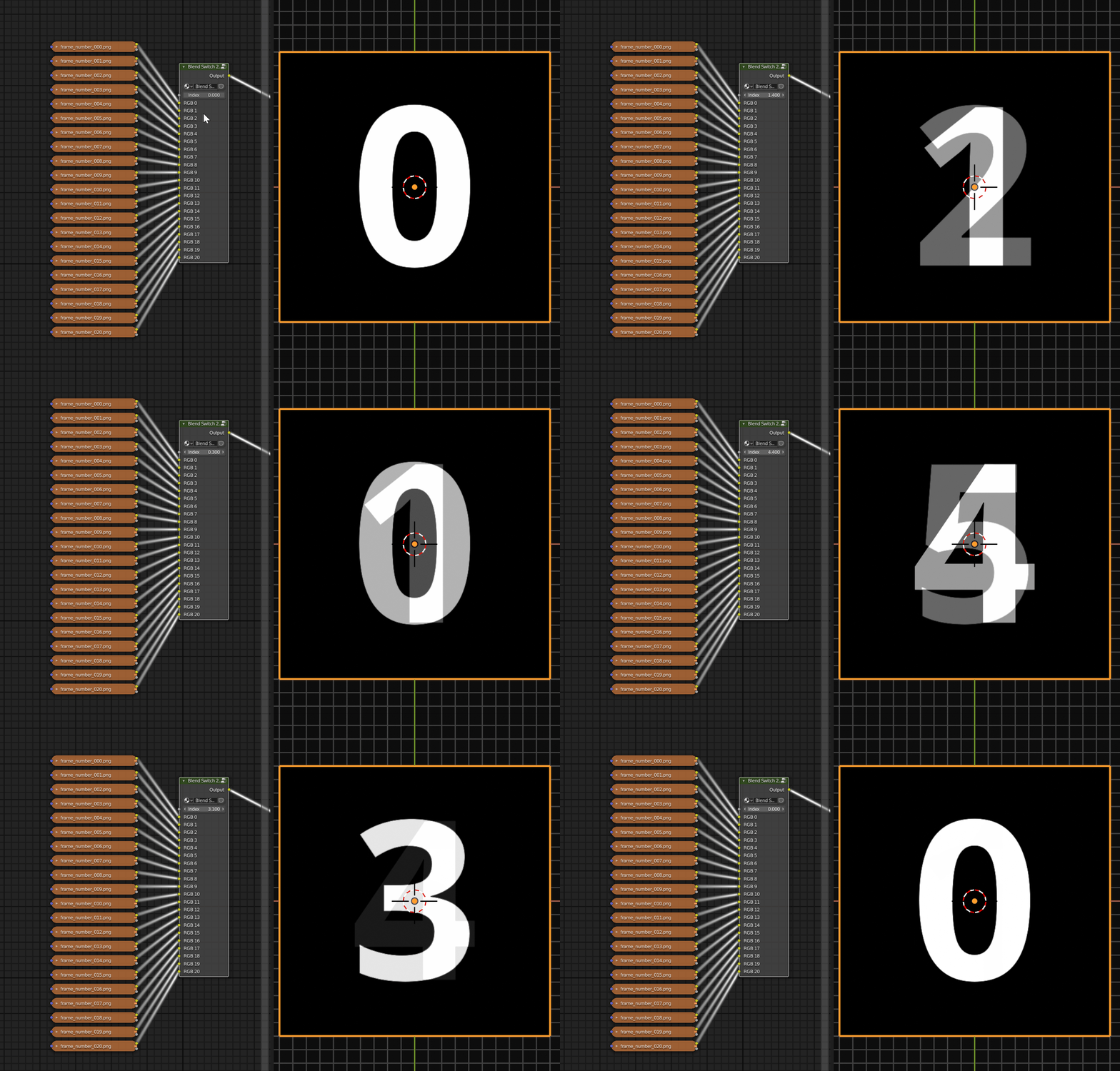 Blended value based switching for arbitrary uniform socket types.
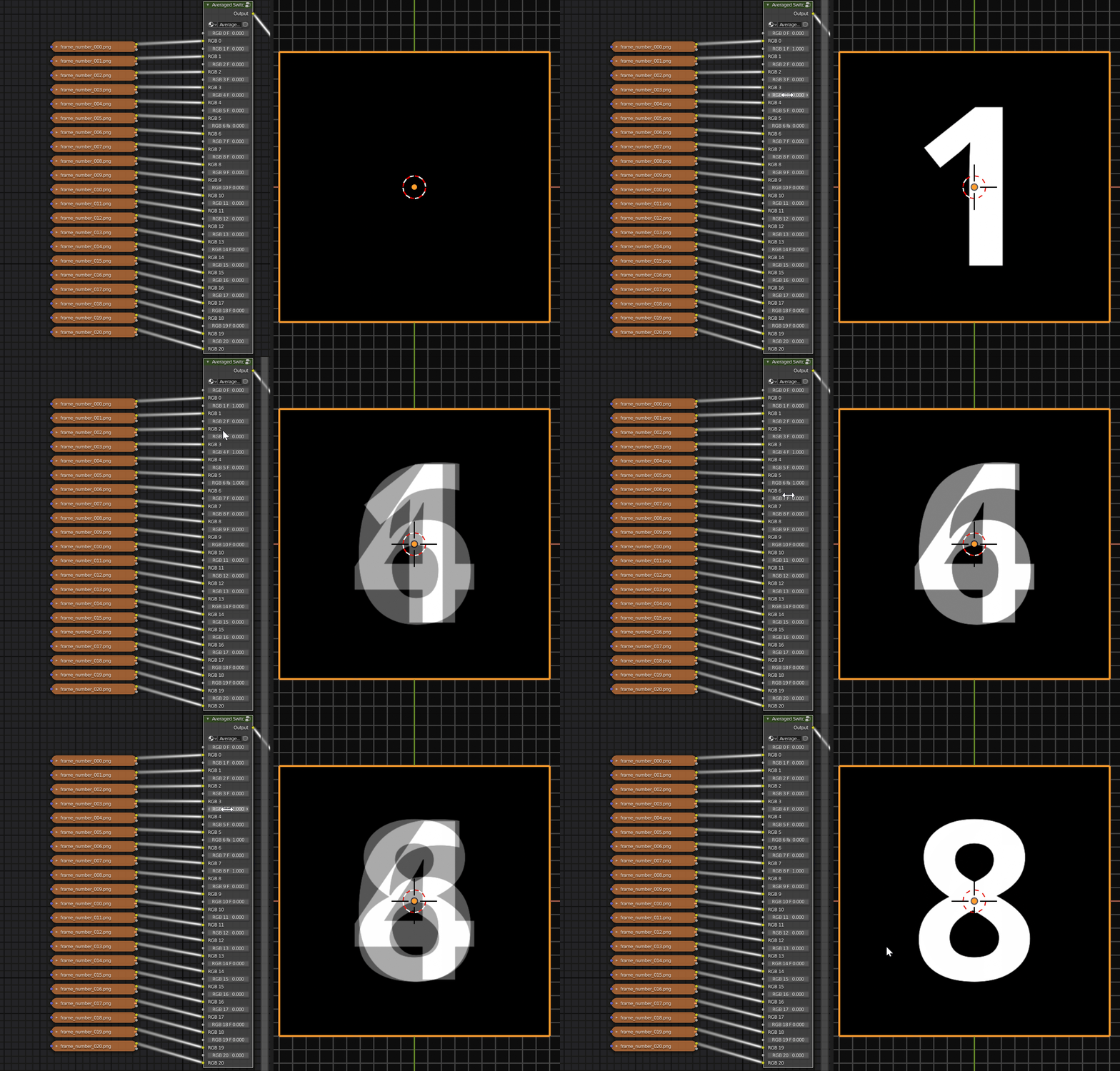 Create a node network that calculates a weighted overage of the inputs. Not compatible with shader socket types.
Switching based on the colors of an input with auto detection for image input.
Parameter Descriptions
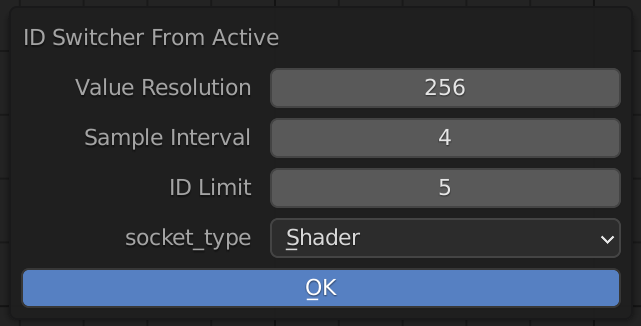
Performance
High Value Resolution and Low Sample intervals rarely improve color detection but will greatly increase node creation time.
| Parameter | Description |
|---|---|
| Value Resolution | The color depth to use for sampling. |
| Sample Interval | The spatial interval to use for sampling. Eg. A sample of 4 means a 1024x1024 image will be processed as 256x256. |
| ID Limit | The maximum number of IDs that will be output. Use a higher value than you need to account for noise, backgrounds, and padding. |
| Socket Type | The socket types to be used for switch inputs. |
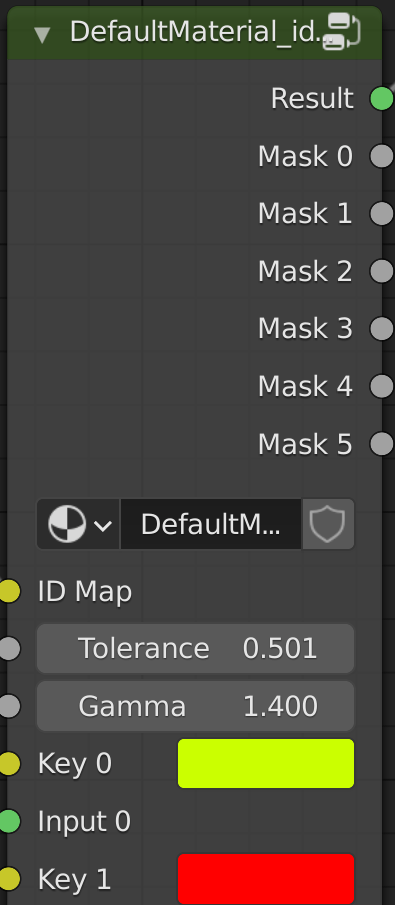
| Parameter | Description |
|---|---|
| Result | The switched result |
| Mask 0.. | The keying results as individual masks |
| ID Map | ID Map (or other color input) to key. |
| Tolerance | Tolerance of the keying. Increase make the keying colors less strict |
| Gamma | Gamma of each mask. The contrast of each internal masking operation. |
| {{< /table >}} |
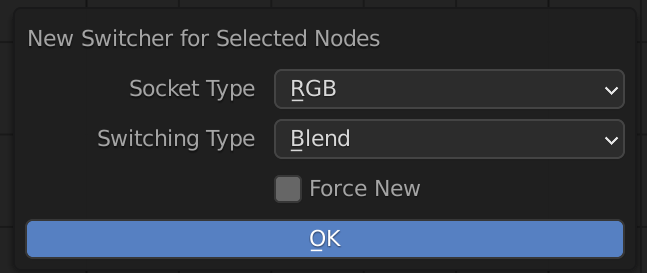
| Node | |
|---|---|
| Socket Type | Tolerance of the keying. Increase make the keying colors less strict |
| Switch Type | Method of switching. See switching types section for more details. |
Addon's Node Groups
| Node | Use |
|---|---|
| Value Lerp | Linear interpolation of a value. |
| Vector Lerp | Linear interpolation of a vector. |
| Switch Node | Primary addon function, the different switch nodes, |
| RGB Key | Color keyer node. Create a mask of the ID Map input using the Key color. |
| ID Switcher | Color based switching and mask generation based on the colors of an input. |